
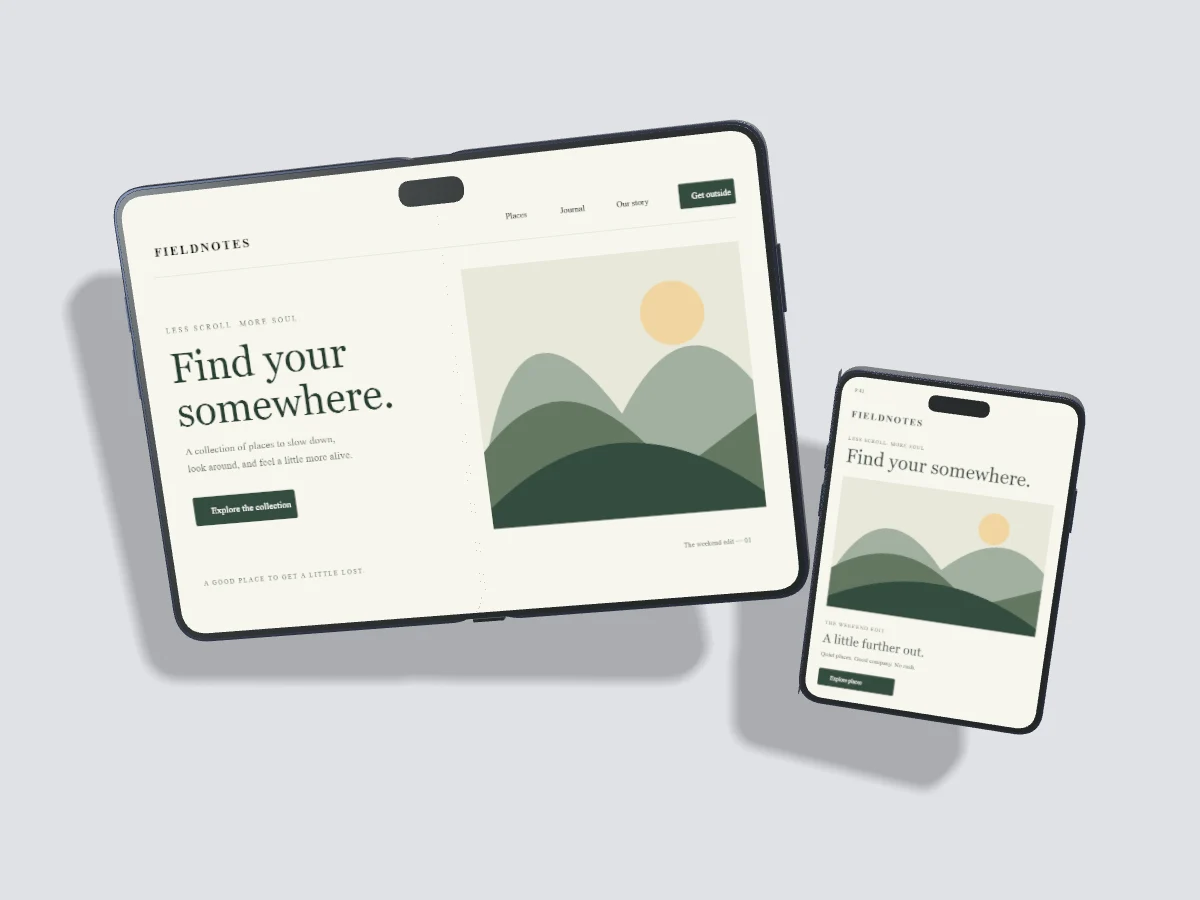
A foldable product has two display contexts. The outer screen supports compact tasks; the open screen provides a broader workspace. Present each with a screenshot captured for that layout instead of enlarging one phone screen into both formats.
Use the correct display shape
Pixmock includes separate open and closed iPhone Duo display formats. The open model is wider than it is tall, while the closed model is a compact portrait format. Original meshes approximate the published physical proportions and finishes; they are not manufacturer CAD or a guarantee of exact hardware fidelity.
Prepare two screenshots
Capture the interface at a viewport close to the target display ratio. For the open screen, check columns, navigation and any central content that could be affected by the fold. For the outer screen, prioritize the task someone can complete without opening the device. Remove personal data and unnecessary overlays from both captures.
Explain continuity clearly
Use a paired open-and-closed composition to show how a task continues between layouts. Keep the product state consistent, such as the same article or selected project. Add an explanatory caption in your page when the transition matters. A still image can show two states, but it cannot prove how an app behaves during a physical fold.
Keep motion claims precise
Pixmock's motion presets move the selected device compositions. They do not simulate a hinge folding open or an app changing layout during a fold. Use actual product recordings or a dedicated prototype when you need to demonstrate those behaviors. Interactive motion templates and MP4 export require Pro.
Review spacing and crop
The open display needs more horizontal room than a conventional phone. Leave a gap around the closed companion device and inspect the complete composition at its final size. Use Fill or Fit deliberately, then check the top display cutout and the central fold region before exporting.