
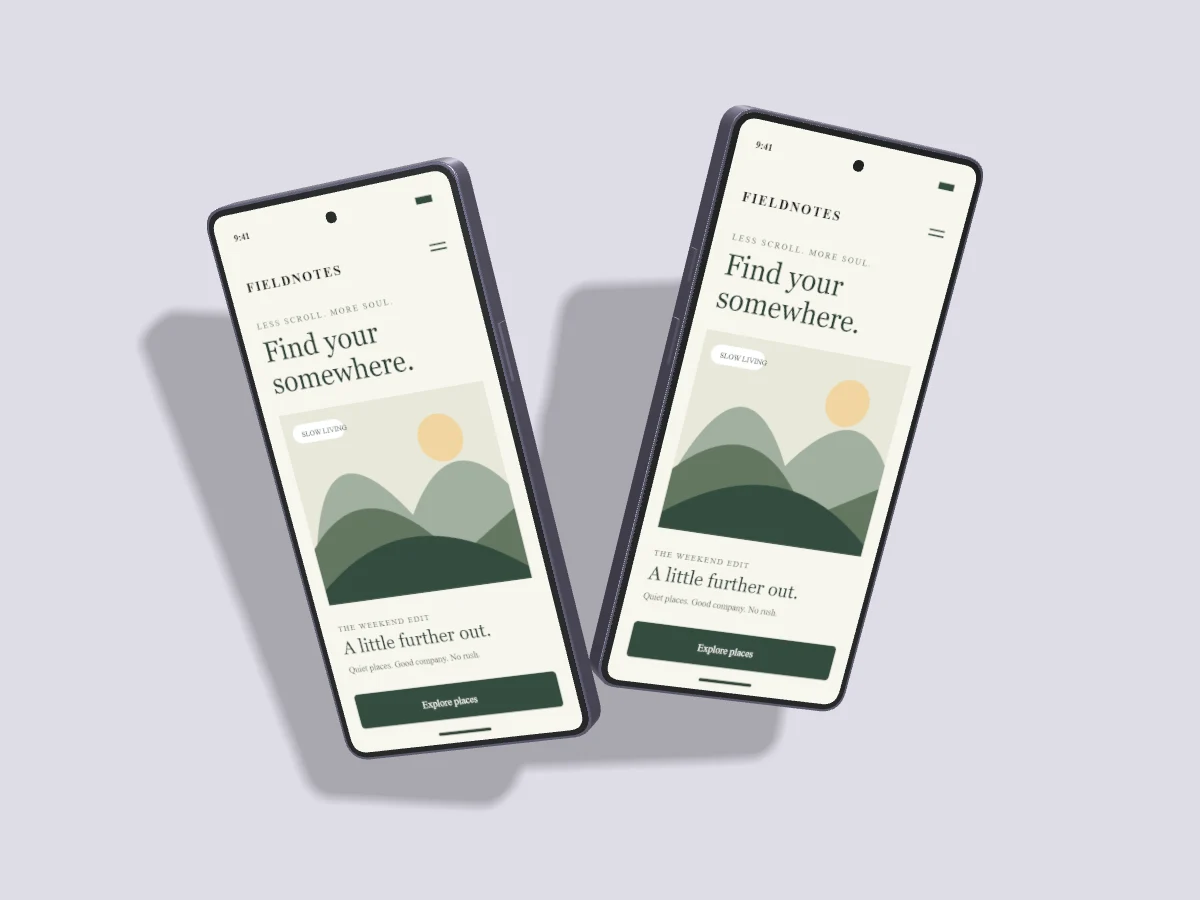
The screen is the subject of a UI mockup. Light and angle should make its presentation clearer. A restrained setup often works better than an extreme pose, especially when your audience needs to read the interface.
Set one clear light direction
Choose a direction before tuning other shadow controls. A light above and to one side gives the frame an edge highlight and places the shadow on the opposite side. Keep that relationship consistent across all devices in the composition.
Light altitude controls how high the light sits above the stage. Lower light stretches shadows across the background; higher light keeps them closer to the device. If the shadow becomes distracting, raise the light or lower shadow opacity before increasing softness.
Treat softness and lift separately
Softness changes how defined the shadow edge appears. Lift changes the distance between device and stage. A high-floating phone with a heavy, sharp shadow can look pasted on. Try a smaller lift with a quiet shadow for grounded product work, or a larger lift with softer shadows for an airy editorial layout.
Pixmock uses a shared 3D renderer for the editor and final output. Shadow direction, opacity, softness and device lift are scene settings, rather than decorative overlays attached after export. Inspect your output against both light and dark page backgrounds if it will be reused.
Use angle to show depth
A modest left or right turn reveals the frame finish. Adding a little vertical tilt creates depth, but combining extreme turns makes text harder to read. Pixmock keeps devices front-facing. The tool is for presenting screens, with no back-view preset.
Keep paired devices consistent
Apply angle to all devices sets a shared pose for visible, unlocked device layers. This is useful for a product family, onboarding sequence or responsive case study. It changes each device orientation without moving their positions into a new group layout. Use layer locks to preserve a deliberate exception.
Before exporting, view the scene at thumbnail size. If the screen hierarchy disappears, reduce the angle or increase device size. Leave enough negative space for a caption when the image will be used inside a blog or portfolio.