
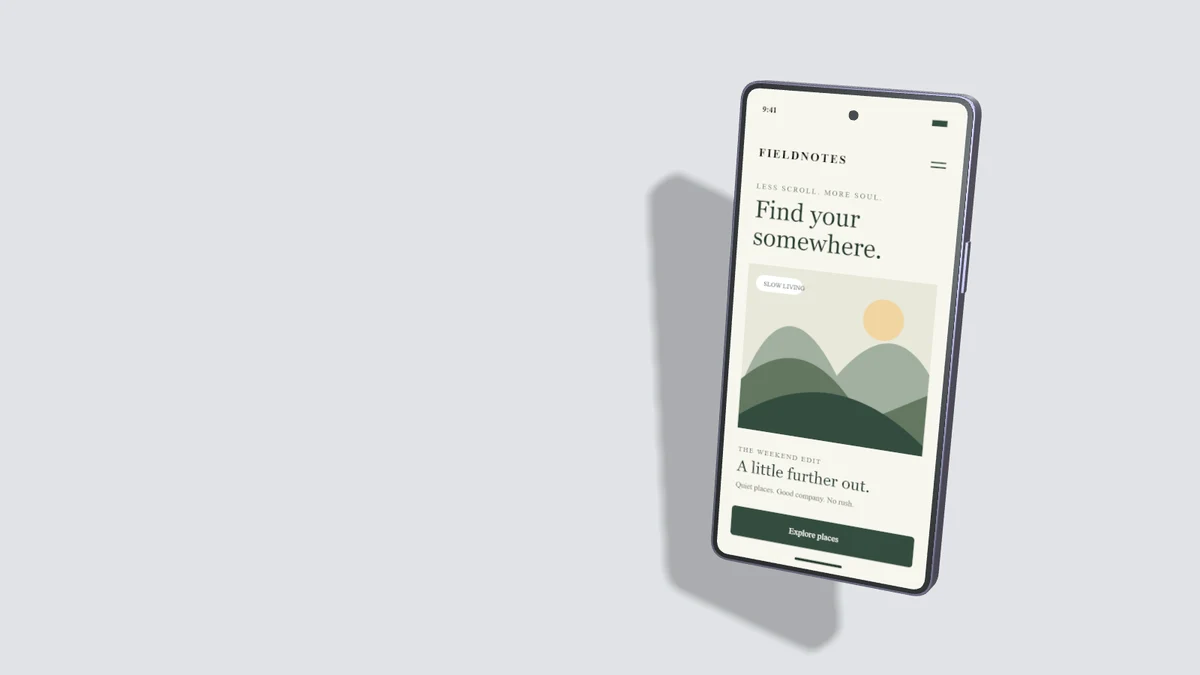
A useful hero answers three questions: what the product does, who it helps and what someone can do next. A device mockup can support that explanation by showing a recognizable product state. It should not force visitors to decode a decorative collage before understanding the offer.
Let the headline and screen agree
If the headline promises a faster booking process, show the booking interface. If it describes a reporting tool, show an understandable report. Use sample data and clear labels. A screenshot of a generic dashboard can weaken a specific message even when the mockup itself looks polished.
Reserve space for copy
Wide compositions with a device positioned to one side leave a stable area for the headline and button. Decide where the copy will sit before exporting. Avoid baking the only headline into the mockup image; live HTML text remains easier to read, translate and navigate.
Plan the mobile arrangement
A desktop split layout often needs a separate stacked arrangement on mobile. Check whether the screen remains recognizable at 360 pixels wide. Use a simpler crop or a single device if the paired composition becomes too small. Reserve image dimensions in CSS to prevent layout shift.
Keep the next action obvious
Place one clear primary action near the explanation. Avoid fabricated urgency, unverifiable discounts and claimed customer counts without evidence. A realistic product demonstration earns more trust than a device frame surrounding invented functionality.
Measure loading and comprehension
Export WebP near the displayed size and provide descriptive alt text. Avoid loading a full editor or autoplaying large videos only to decorate the first screen. Test keyboard navigation, reduced-motion behavior and slow connections. Use analytics only with an appropriate privacy setup. Search visibility also depends on useful page content and crawlability; no mockup image can guarantee a ranking.