
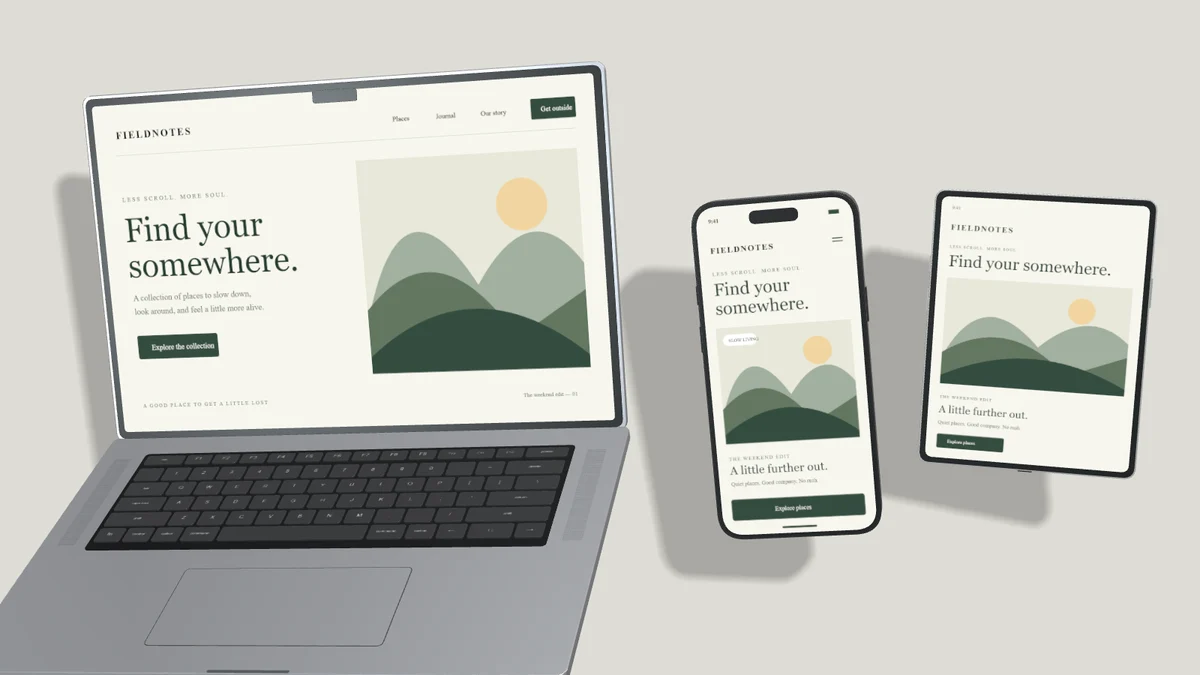
Multiple devices can show a responsive product or a connected workflow. They also compete for space. Begin with a reason for every screen in the scene, then choose a canvas large enough to show the relationship clearly.
Choose the focal device
Decide which experience matters most. Give that device the largest visible screen area. Keep supporting devices readable without giving every frame equal emphasis. If all devices are the same size and angle, the result may look like a catalog rather than a product story.
Leave space for real geometry
A laptop extends forward from its hinge. Its deck needs room beyond the screen rectangle. Tilt and perspective also change the projected silhouette of a phone or tablet. Check the visible frames after changing angles, especially when adding a phone near the laptop keyboard.
Use a preset with deliberate gaps as a starting point. Shared angle controls apply the same pose to visible, unlocked devices, but they preserve positions. After a large angle change, review spacing again. Lock any layer that should remain fixed while you adjust its neighbors.
Keep screenshot states connected
Show the same product or related tasks across devices. Match scroll position when comparing responsive layouts. For a sequence, choose consecutive states and provide captions outside the device image. Different artwork can add variety, but unrelated screens make the composition harder to understand.
Use overlap intentionally
An offset phone pair can overlap without physical collision when one device clearly sits in front. Avoid ambiguous contact where edges barely touch or pass through one another. Separate devices more generously when their silhouettes are complex. Shadows should reinforce depth rather than obscure another screen.
Check the smallest placement
Preview the output at its final width. If the supporting screens have become visual noise, remove a device. One well-framed result is stronger than a crowded arrangement. Use the portfolio guide to connect each composition to a specific part of your design story.