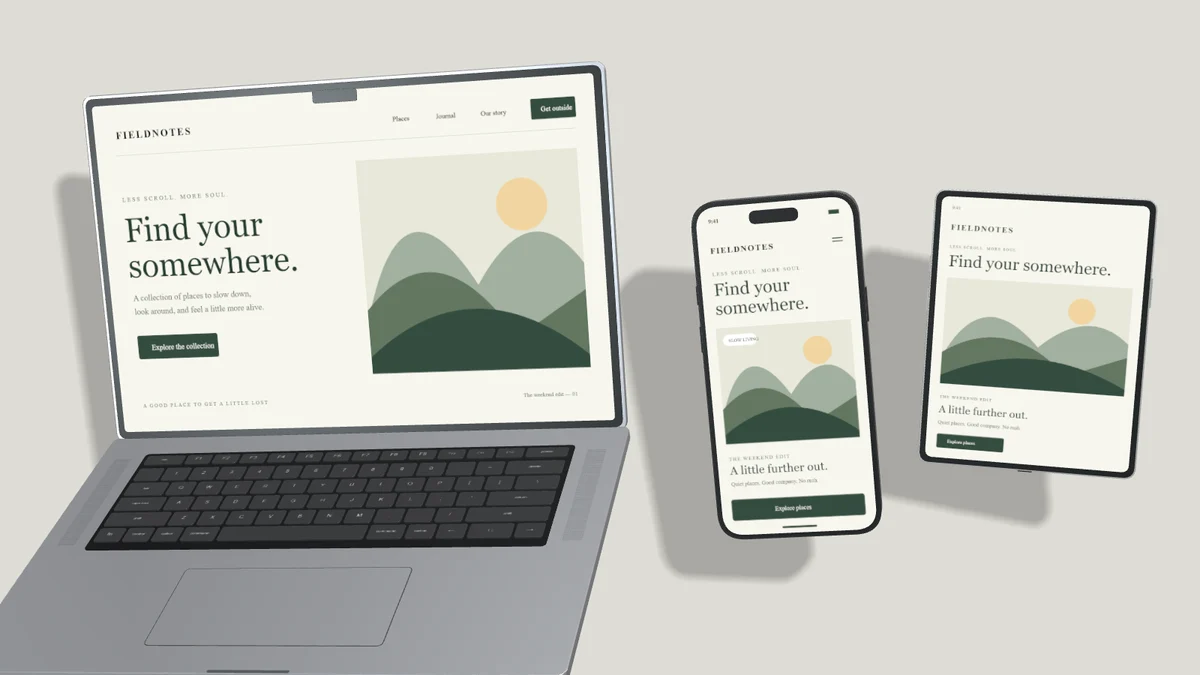
A multi-device image works when it answers a clear question: how does this product adapt across screens? Start with a primary interface, then add only the supporting screens that help explain it.
Establish one focal point
Use a laptop or iMac for a website with a detailed desktop layout. Add an iPad when the tablet experience differs meaningfully, then a phone for the small-screen version. In The workspace template, each device has an independent source image and its own layer controls.
Make the most important screen largest. Leave enough separation for the viewer to recognize the other devices. Overlap can create depth, but avoid covering the part of the interface that explains the product.
Keep angles coherent
Enable Apply angle to all devices to set a shared tilt and turn. Locked and hidden devices are excluded. This control changes orientation and lift while keeping layer positions intact, so you can align the lighting without rebuilding the layout.
One shared light source helps the composition feel like one scene. Choose a direction, then tune altitude and softness. Heavy shadows behind every object can make the result busy. Reduce opacity before increasing the background contrast.
Replace screens independently
Select the laptop and upload its desktop screenshot. Select the tablet and upload the tablet layout. Select the phone and upload the mobile screen. Check Fill and Fit separately for each device because their aspect ratios differ.
Use layer names and locks while adjusting overlaps. Reorder layers to control which device appears in front. The editor supports up to eight layers per composition, including text layers. This is a per-scene complexity safeguard rather than a monthly Pro export cap.
Finish for the actual placement
For a blog cover, a wide layout leaves room for headline text in the surrounding page. For a portfolio grid, a square image may give devices more visible space on mobile. Check a small preview before publishing.
One exported image containing several devices is one still-image output. Free receives three completed still-image outputs per UTC month. A multi-device composition does not debit one export per device. Saving a Pro project remains an explicit action, separate from exporting.